

Designing a website that reflects the tranquillity of a holiday home
When a platform to showcase your vacation home starts adding unnecessary features, prices will go up and eat into your profits. That is why I was asked to develop a simple website for a holiday home. The client’s wishes were simple – photos displaying the residence, a description, amenities, nothing too corporate. And, of course, the ability to request a booking.
Role
Designer, Developer
Tools
Figma, WordPress, AI, Divi, MotoPress Booking Plugin
Year
2026

User Research
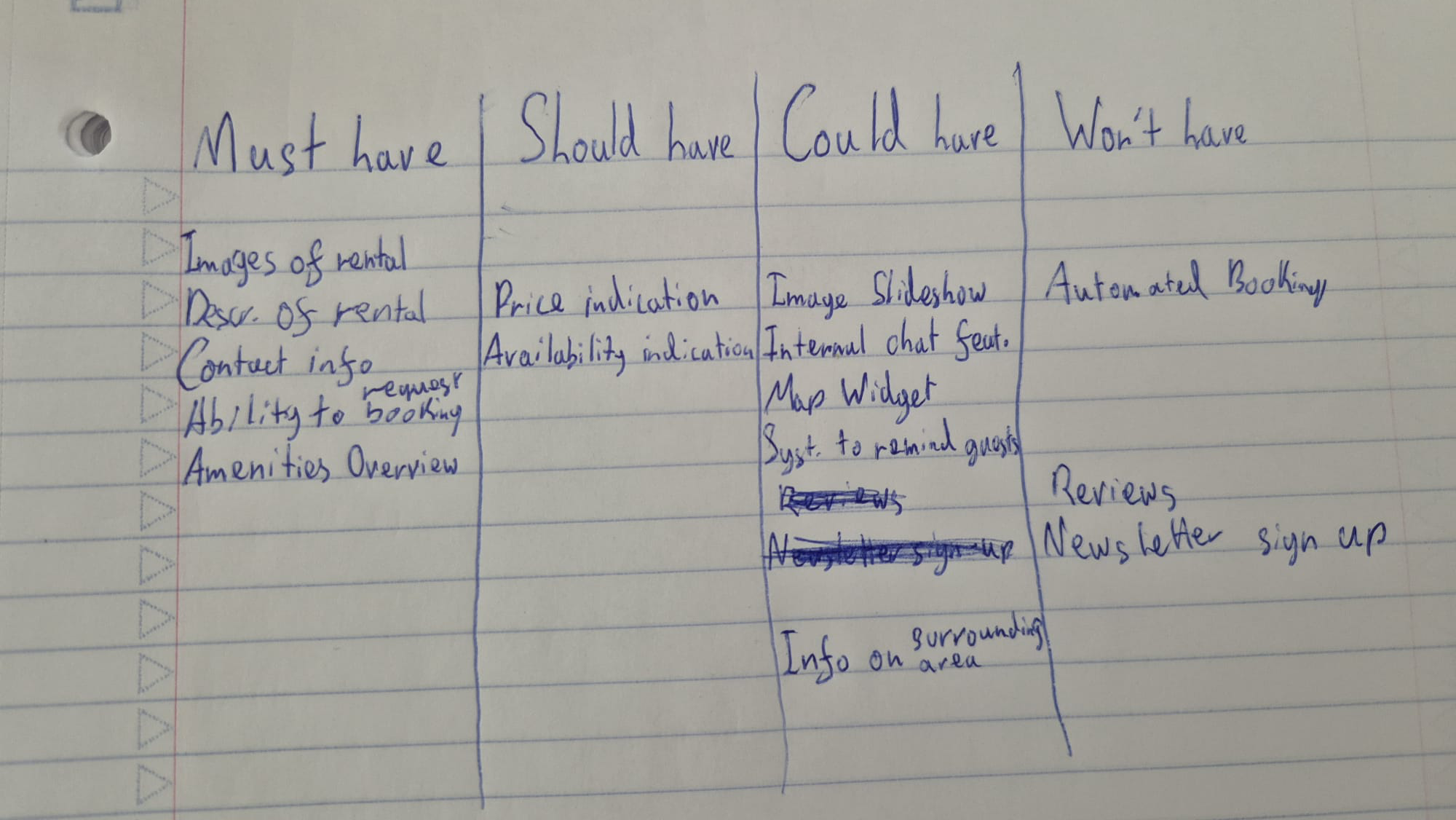
My main point of research was competitor analysis. It took a while to think of the correct search term for such a residence but I ended up searching “boutique holiday homes” to find similar websites. I also conducted interviews with the client to determine the necessary features of the website. I then compared these features with the websites I had found and made a MoSCoW chart to finalise the features list based on the client’s wishes and the competitor analysis.
KEY INSIGHTS
1. The owners of the website need to be able to indicate the restrictions on which bookers can request a booking so that they have less hassle whilst receiving booking requests.
2. Bookers need to feel that the website radiates the experience of the stay so that they are enticed to make a booking and aware of the experience they will receive when booking
3. Bookers need to book via the system provided so that the owners of the website have all bookings centralised
MoSCoW chart for feature determination
Solution:
A bespoke booking website where owners can set clear eligibility rules (dates, group size, stay length, etc.) to filter incoming requests – guests experience the property’s look and feel through language and visuals before booking. Every request is submitted and managed through one centralized booking system on the site itself.
Design
Ideation
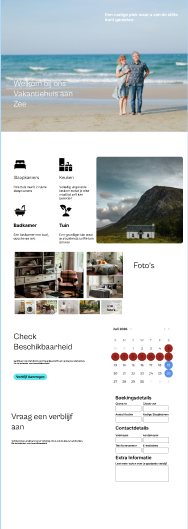
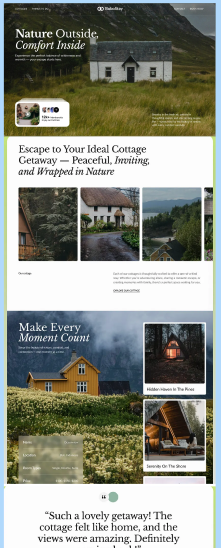
For the design, I drew inspiration from various sites, including Pinterest and Behance, as well as creating my own initial design. The three designs were presented to the client so that they could indicate what their thoughts were.
Prototype
From the design I went straight into the build so that I could easily get feedback. Again, there was a lot of going back and forth with the client due to budget restrictions and the necessity to purchase a plugin which would allow for the request of a booking. During the research phase there was also an indication that bookings should be scheduled with Saturday being the check-in and check-out dates. To configure this I added a booking restriction plugin.
Test
Testing primarily focussed on the amenities pop up and booking functionality.
The hifi prototype was then tested by the stakeholders.
Booking
While the restrictions plugin did work, I observed that the user would not receive sufficient feedback when filling in the form incorrectly.
Solution: Added an auto scroll function and highlighted the error message
Amenities pop up
Pop up not centered. It took some time to figure out.
Reflection & Final Thoughts
“I wrongly assumed that plugins would be natively integrated”
This was my first time using Divi 5 for a client project. This led to some complications as some of the plugins used had not been updated for Divi 5. This led to some complications, but it worked out in the end. Retrospectively, I would have used Divi 4, but Divi 5 had been out for a while and I assumed (wrongly!) that updates for the plugin would be available. To avoid these issues in the future, I would spend more time ensuring that the foundations of the website were correct for the functionalities of the website.